
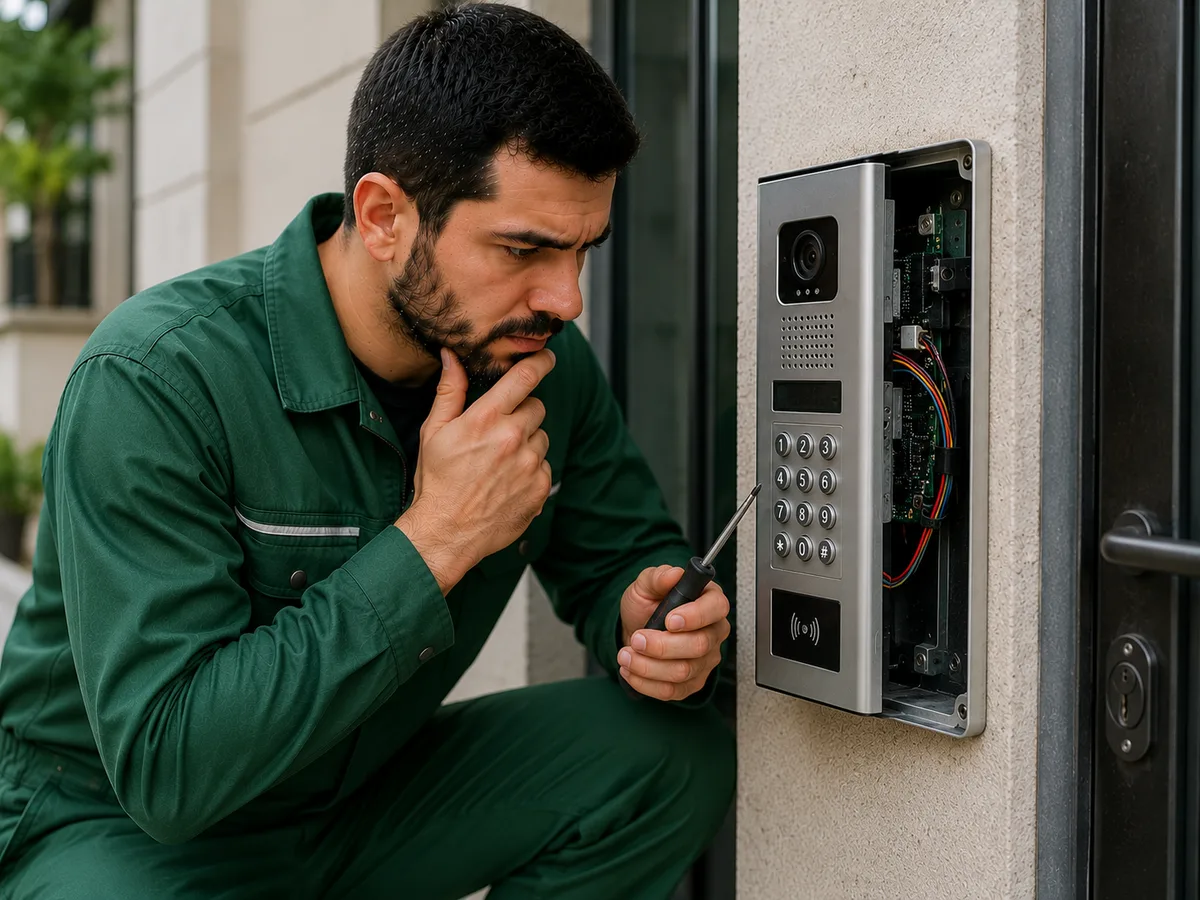
An intercom that does not open the door is one of the most common intercom system problems. In some cases, the call works normally and audio or video communication functions properly, but nothing happens when the door unlock button is pressed. In other cases, a sound can be heard from the door lock, but the door still does not open. The way the problem appears can help identify the possible cause.
First, the door unlock button on the intercom should be checked. Over time, the internal contacts of the button may wear out, oxidize, or fail completely. If there is no click, sound, or response when the button is pressed, the problem may be related to the control button itself.
A faulty electric door lock is also one of the main causes. Even if the intercom sends the unlock signal correctly, the door may not open if the electric lock is not functioning properly. The internal mechanism may jam, the coil may fail, or individual components may wear out after long-term use.
In some cases, the electric lock activates and makes a sound, but the door does not open because of a mechanical obstruction. A misaligned door, displaced lock latch, deformed door frame, or mechanical jamming can prevent the door from opening even when the electrical part of the intercom system is functioning correctly.
A problem with the cable connection between the intercom and the door lock can also prevent the door from opening. If the cable is damaged, a contact becomes loose, or a connection is oxidized, the unlock signal may not reach the lock. Moisture and temperature changes can particularly affect cable connections in systems installed near entrance doors or outdoors.
A weak or faulty power supply should also be considered. The intercom system and electric lock require a certain voltage to operate correctly. If the power supply cannot provide sufficient power, the monitor and communication functions may work normally, while there may not be enough power to release the door lock.
This type of problem may appear as a weak sound from the lock when the button is pressed or as a door that opens only occasionally. Measuring the output voltage of the power supply is important for identifying the exact cause.
The relay in the intercom system may also be one of the main components responsible for opening the door. The relay supplies power to the electric lock after receiving a command from the control unit. If the relay contacts are burnt, stuck, or the relay itself has failed, the unlock command may not be transmitted to the lock.
In video intercom systems, a fault in the electronic control section of the monitor can also affect the door unlock function. The picture and sound may work normally, but if the electronic circuit responsible for the lock output is damaged, no unlock signal will be sent.
A fault in the outdoor call panel is another possible cause. In some systems, the entrance panel is used not only for calling and voice communication but also as part of the door lock control circuit. Moisture, oxidation, damaged electronic components, or cable problems inside the panel can affect the unlock function.
Moisture is one of the common causes of intercom system problems. If water enters the outdoor call panel or cable connections, contacts may oxidize and, in some cases, short circuits may occur. As a result, the call function may continue to work while the door unlock function becomes unstable or stops working completely.
If the intercom opens the door only occasionally, the cause may be a loose contact, weak power supply, or worn electric lock. If the door opens only after pressing the button several times, this may indicate an unstable electrical connection.
If several apartments use the same entrance intercom system, it is useful to determine whether the problem occurs in only one apartment or throughout the building entrance. If the door cannot be opened from only one apartment, the problem may be in that apartment’s monitor, button, or cable. If the door cannot be opened from any apartment, the shared power supply, call panel, relay, or electric lock should be checked.
If the door does not open after a new intercom has been installed, an incorrect wiring configuration may be the cause. Different intercom models may use different methods for connecting the door unlock output and electric lock. Incorrect wiring or unsuitable voltage can prevent the lock from operating.
Compatibility between the electric lock and the intercom system is also important. Some locks operate at different voltages or use different control methods. If an incompatible lock or power supply is used, the door may not open at all or the system may operate inconsistently.
If the door unlock function suddenly stops working after a voltage fluctuation, the power supply and electronic control components should be checked. A power surge can damage the power supply, relay, or the monitor’s electronic output.
Sometimes the problem is not in the intercom system itself but in the mechanical door lock. If the electrical signal is reaching the lock correctly but the latch does not move freely, the door is difficult to close, or extra force is required to open it, mechanical adjustment or lock repair may be necessary.
If other symptoms occur together with the intercom failing to open the door, the issue may be related to a wider system fault. For example, frequent monitor shutdowns, weak call sound, interrupted audio, and failure of the door unlock function at the same time may indicate a general problem with the power supply or cable system.
Pay attention to the following signs: if there is a burning smell when the unlock button is pressed, the power supply is overheating, cable connections show signs of melting or darkening, the system frequently shuts down, or the circuit breaker trips, do not attempt to work on the electrical parts of the intercom yourself. Incorrect electrical connections can cause additional damage to both the intercom system and the electric lock.
If the intercom does not open the door, it is recommended to contact a professional intercom technician. The technician can inspect the system on-site and check the door unlock button, electric lock, power supply, relay, electronic control components, call panel, and cable connections. Once the exact cause of the fault has been identified, you will be informed in advance about the required work and its cost.